№ 01.5 / Office Suite — Projects
Project management
№ 01.5 · part of the suite
Gantt, kanban, time tracking and a wiki — all under one project.
What it does
Plan, track and report — at the depth your team actually needs. Gantt charts with dependencies for the planners, kanban boards with sprints for the agile teams, time tracking and cost reports for the project leads. The same tool covers project wiki, meeting notes and forums, so context lives next to the work it describes.
OpenProject · OpenProject GmbH
№ 01 · Featured
Gantt charts with dependencies
Baselines, critical path, drag-to-reschedule — the planner's view of the whole programme on one screen.
✓ Included in every tier
OpenProject · OpenProject GmbH · via openproject.org
№ 02 · Featured
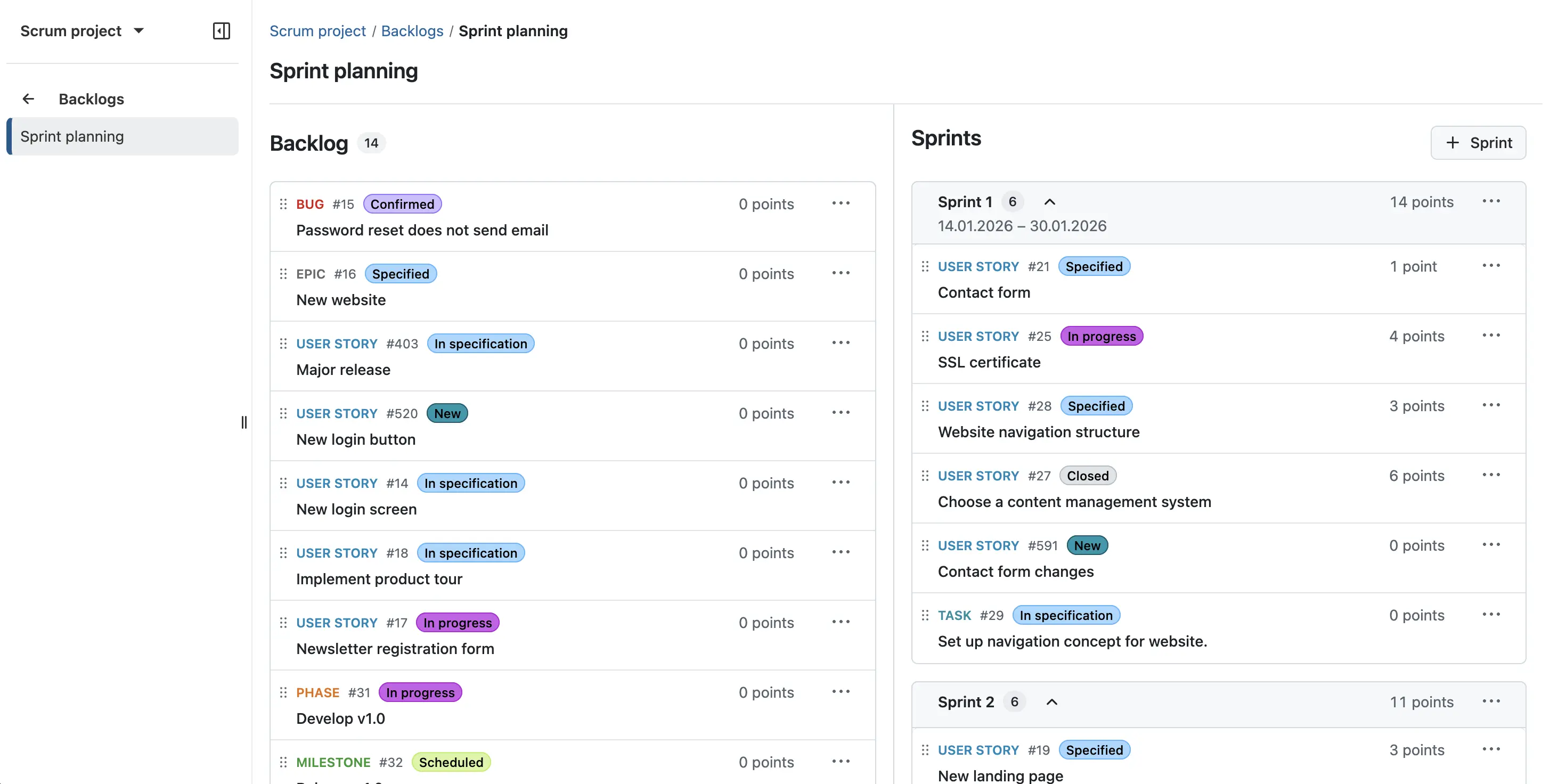
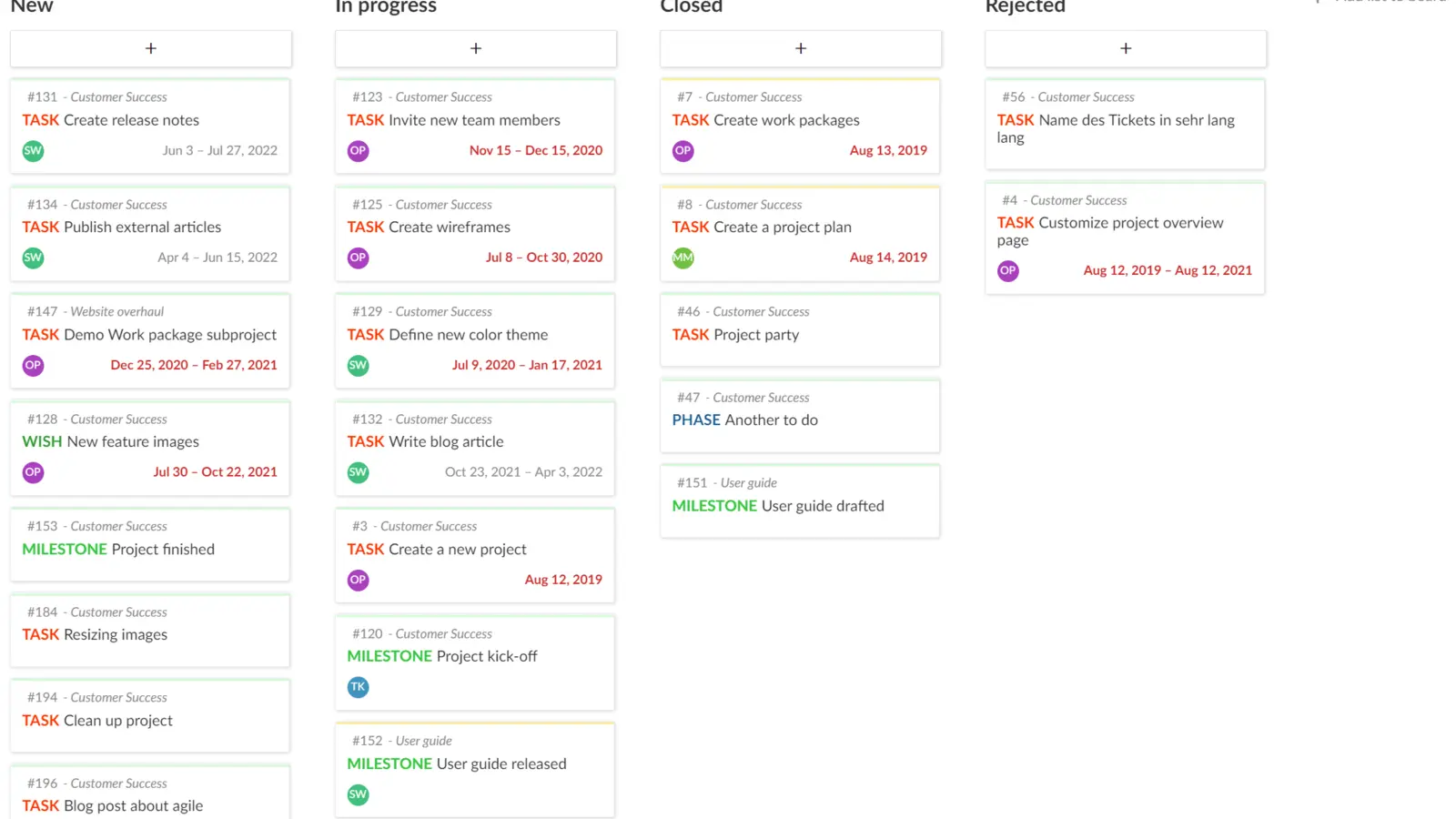
Kanban and Scrum boards
Backlog, sprints, burndown, story points — the agile team's view of the next two weeks.
✓ Included in every tier
OpenProject · OpenProject GmbH · via openproject.org
№ 03 · Featured
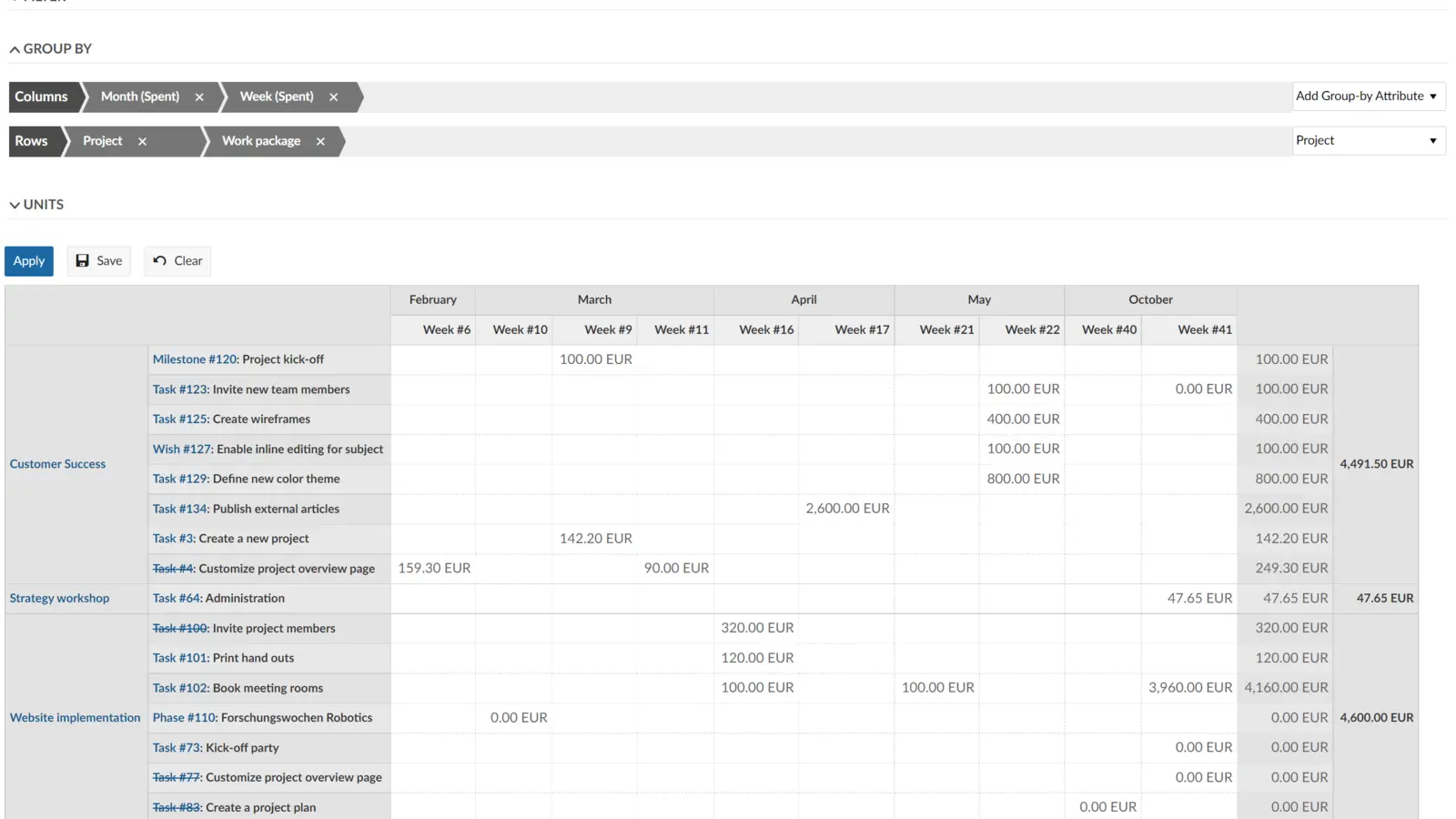
Time tracking and cost reporting
Hours per work package, billable vs internal, project P&L. Reports go to the project lead, not into a separate timesheet tool.
✓ Included in every tier
OpenProject · OpenProject GmbH · via openproject.org
№ 04 · Featured
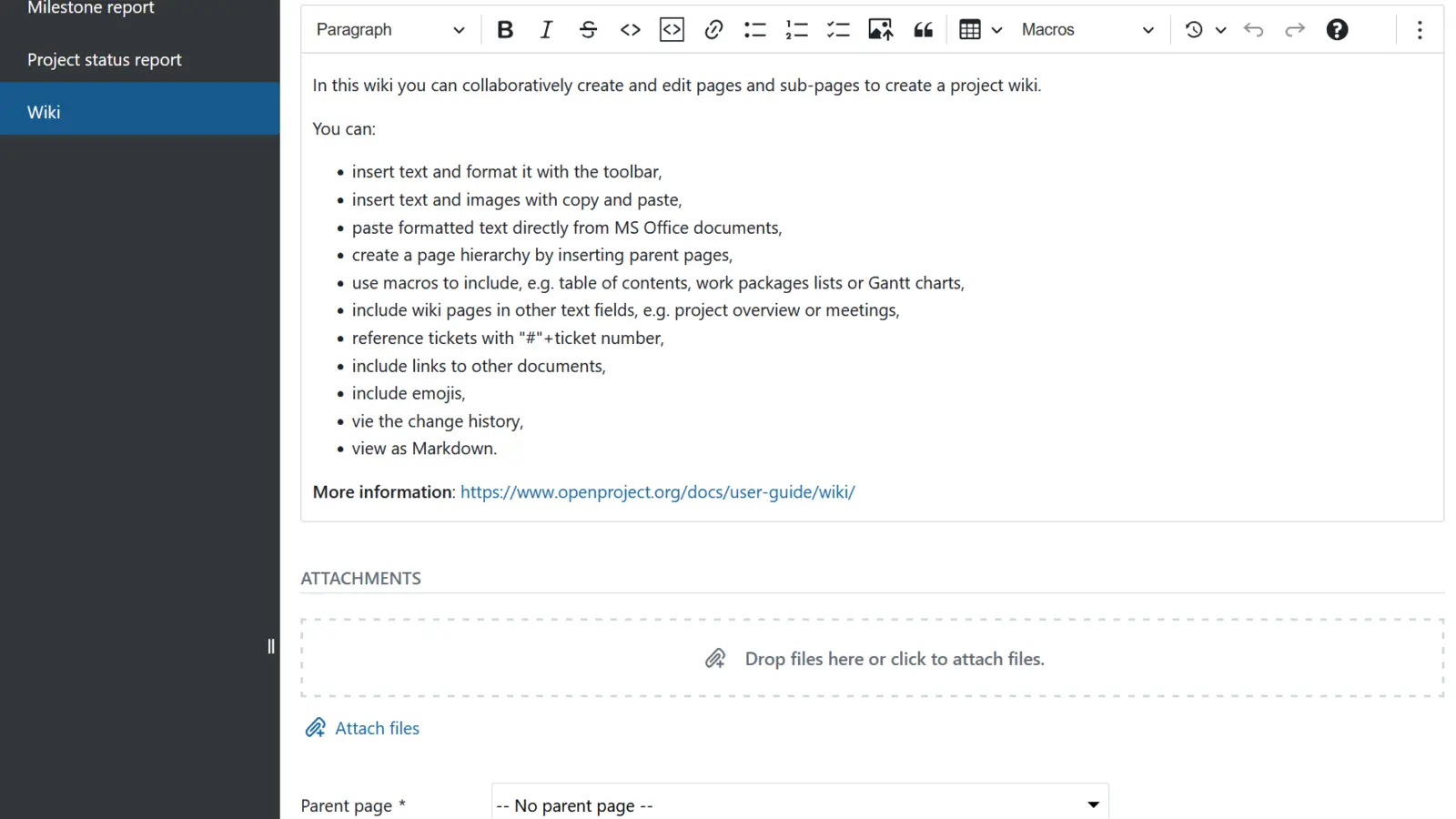
Per-project wiki and forums
Documentation, meeting notes and discussion threads live next to the work — same login, same project.
✓ Included in every tier
Also included
The operational layer.
Work packages with custom fields
Tasks, bugs, milestones, features — type, status, custom attributes per project.
Calendar view and meeting notes
See who's working on what this week; meeting agendas and minutes attached to projects.
Granular roles and permissions
Read-only client roles, write roles for vendors, admin for project leads — per project.
Email notifications and digests
Daily digest or instant alerts; configurable per role and per event type.
REST API for integrations
Connect to your CI, your billing, your CRM — or pipe data out to BI.
Single sign-on across the suite
One login covers Projects, Mail, Files, Chat, Knowledge — your team doesn't manage another password.
Available in
Every tier — in the browser.
Projects ships in Core, Mesh and Fleet — same software, same features. The difference between tiers is operational: Mesh and Fleet add a desktop launcher and (for applicable apps) a sync client, and Fleet adds the managed laptops we ship with everything pre-configured.