
№ 01.8 / Office Suite — Intelligence
Intelligence
№ 01.8 · part of the suite
A dedicated AI workspace alongside the suite — search, ask, summarise, draft.
What it does
A dedicated AI workspace alongside the suite — separate from the apps but plugged into them. Ask in plain language, get answers across your suite with citations you can click through to. Each role can have its own assistant scoped to the data it should see. Powered by Onyx (the open-source AI workspace) and Mistral La Plateforme, both EU-hosted. Voice mode and multi-model side-by-side included.
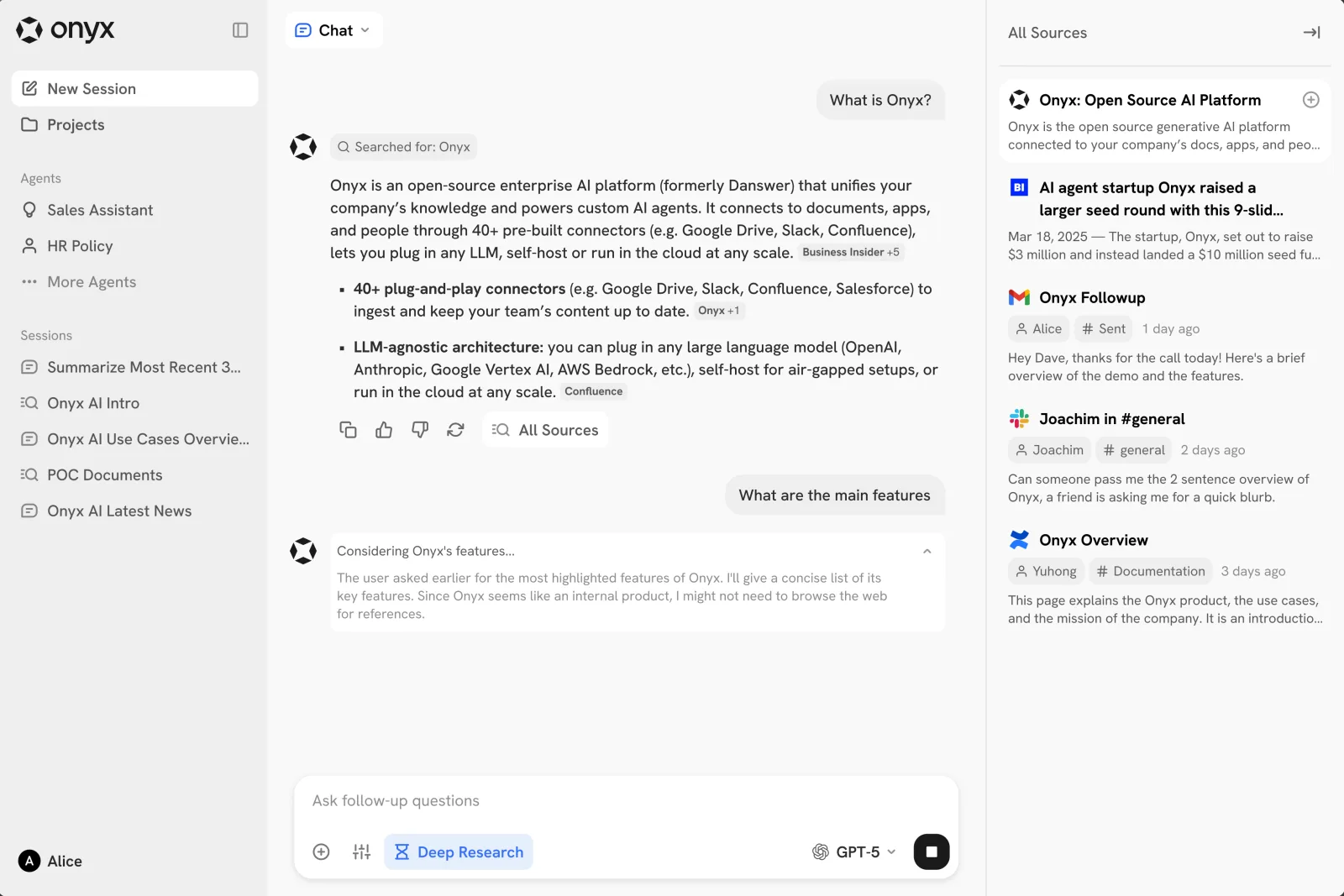
Onyx 3.x · Onyx · via docs.onyx.app
№ 01 · Featured
Cross-suite answers with citations
'Find the Vendor X contract' — the workspace returns an answer with citation chips below it. Click any source to open the original. No more guessing which app the document was in.
✓ Part of the Intelligence add-on
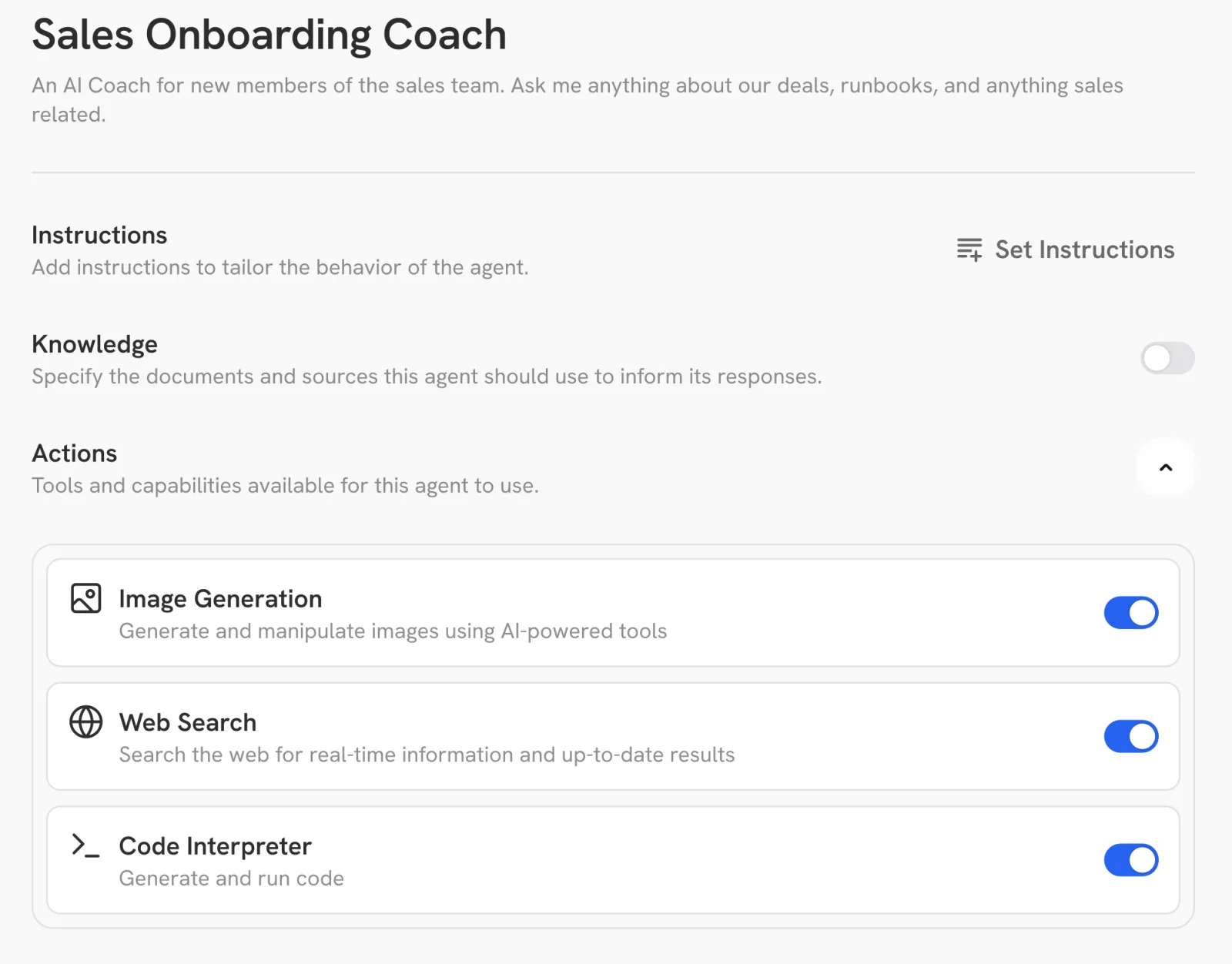
Onyx 3.x agents · Onyx · via docs.onyx.app
№ 02 · Featured
Custom Assistants per role
Sales gets a sales assistant scoped to the CRM and shared sales folder. Legal gets one scoped to contracts. Support gets one tied to the ticket archive. Each persona has its own data scope and tone — admins configure them once, the team uses them.
✓ Part of the Intelligence add-on
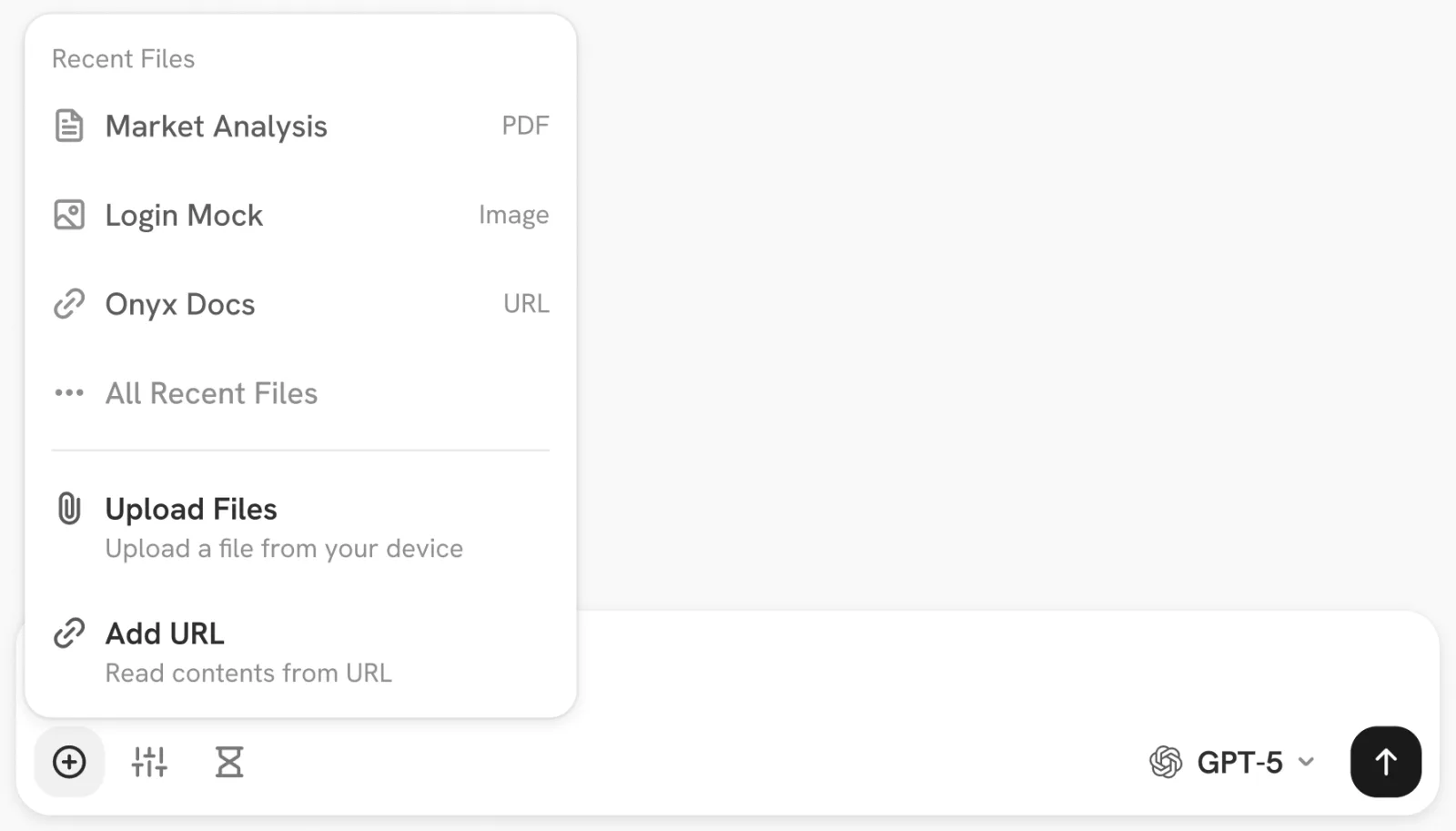
Onyx 3.x file context · Onyx · via docs.onyx.app
№ 03 · Featured
Drop a document, ask anything
Upload a PDF, contract or Word doc into the workspace — get a one-page summary, ask for a more formal rewrite, translate it, ask any question. The original stays in your tenant; the workspace cites which page each answer came from.
✓ Part of the Intelligence add-on
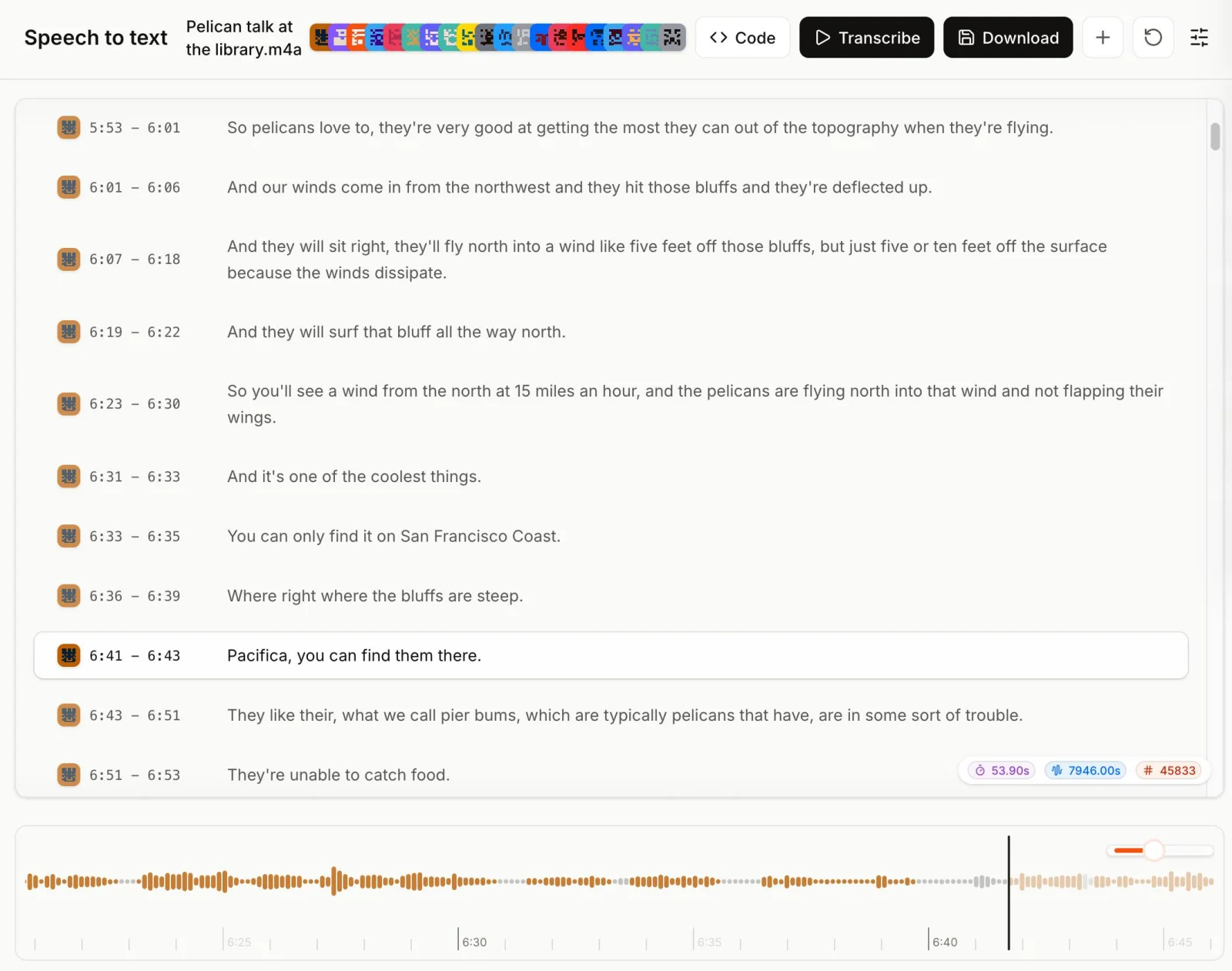
Mistral Studio · Voxtral Transcribe 2 · via mistral.ai
№ 04 · Featured
Meeting transcription and search
After every videoconference, Voxtral — Mistral's audio model, EU-hosted — produces a high-fidelity transcript with speaker labels and word-level timestamps. The transcript lands in your workspace alongside mail, files and wiki; ask 'what did I commit to in yesterday's standup?' and get the answer with a citation back to the moment in the meeting.
✓ Part of the Intelligence add-on
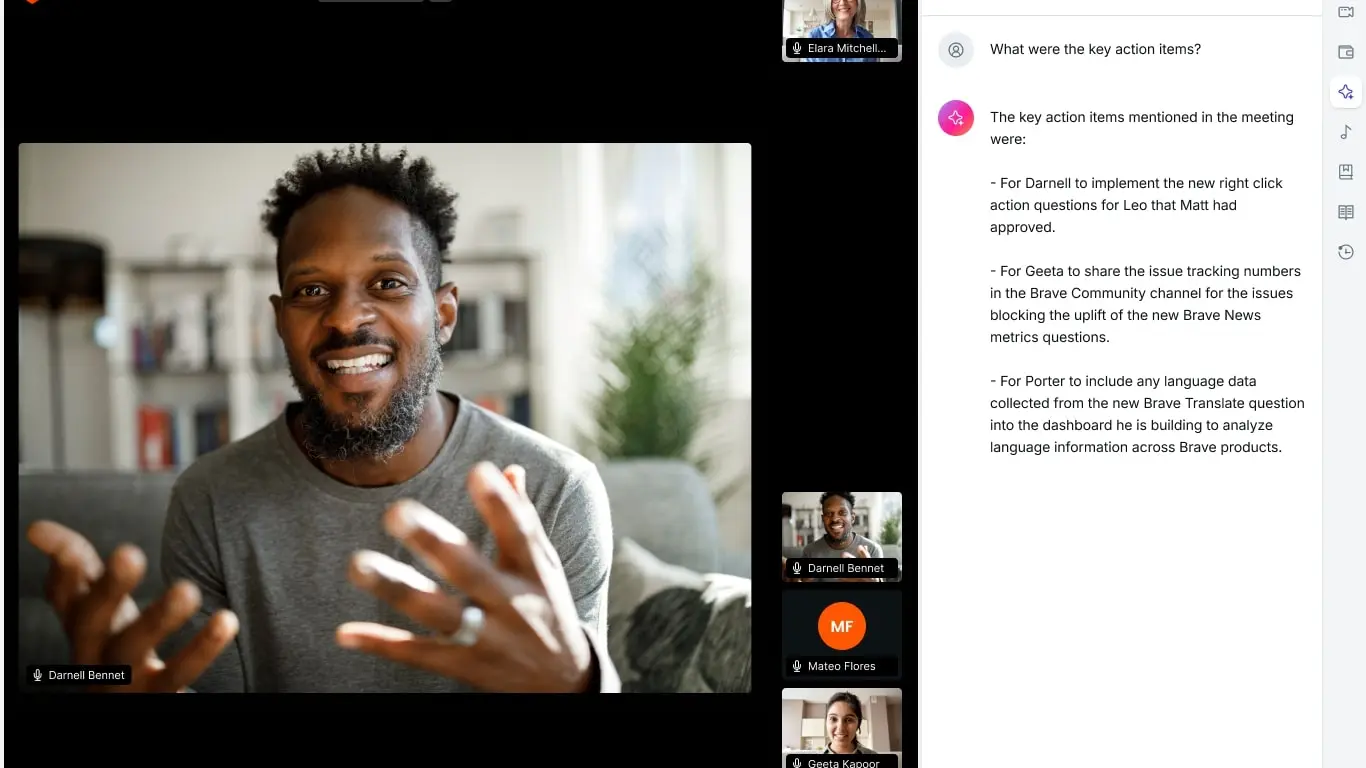
Brave Talk + Leo · Brave (same Jitsi + 8x8 backend) · via brave.com
№ 05 · Featured
Meeting minutes and action items
Once the transcript exists, Mistral derives the minutes: a short summary, an action-items checklist with the owner each speaker actually named, and a timestamped table of contents that links back to the moment in the recording. Skip to a topic, see what was decided, see what you committed to.
✓ Part of the Intelligence add-on
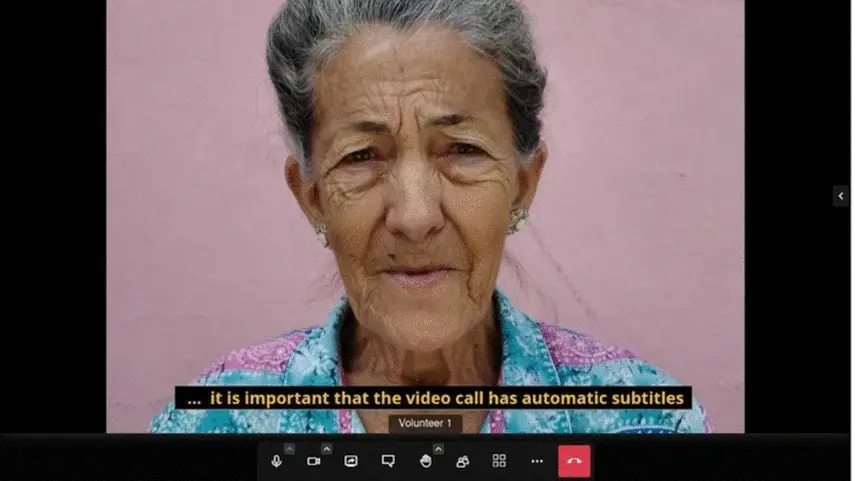
Jitsi Meet · jitsi.org
№ 06 · Featured
Live captions during the meeting
Real-time captions in the videoconference UI for accessibility, hard-of-hearing colleagues and mixed-language calls. Runs on your tenant cluster — audio never leaves.
✓ Part of the Intelligence add-on
Also included
The operational layer.
Web search alongside your data
Onyx Deep Research can pull from the open web during a chat — alongside your indexed sources, with the same citation discipline.
Voice Mode — chat hands-free
Speak the question, hear the answer; useful in the car, in the lab, while cooking dinner.
Multi-model side-by-side
Send the same prompt to two models in parallel — compare hosted Mistral vs. a local model when sovereignty matters.
Source citations on every answer
Every claim links back to the document or message it came from; one click to verify.
Per-team opt-out and per-customer rate limits
Admins choose who sees the workspace; LiteLLM caps per-customer and per-user usage.
DPA addendum specifically covering AI data flows
What's sent to Mistral, retention windows, your rights — written into the contract before you turn it on.
One thing to know
Notes intentionally has no AI. Notes is end-to-end encrypted — encryption keys live in the browser, the server can't read your notes, and indexing them in the workspace would break that property. If you need AI on a sensitive document, drop it into the workspace directly (it stays inside your tenant) or write it in Files where indexing is supported.
Available as
An add-on — +€10 / user / month.
Intelligence costs +€10 / user / month, opt-in per user or per team. Core, Mesh and Fleet base pricing is unchanged whether you take it or not. Turn it on at signup or later.