
№ 01.7 / Office Suite — Notes
Notes
№ 01.7 · part of the suite
OneNote-style notes — pages, sub-pages, end-to-end encrypted.
What it does
OneNote-style note-taking — notebooks of pages and sub-pages, rich-text editing, image and file attachments. Real-time co-editing for shared notebooks, end-to-end encrypted for the personal ones. Built for the everyday capture that's lighter than the wiki and looser than a document — meeting notes, day-of jotting, draft thinking, follow-up lists.
Visual to be produced
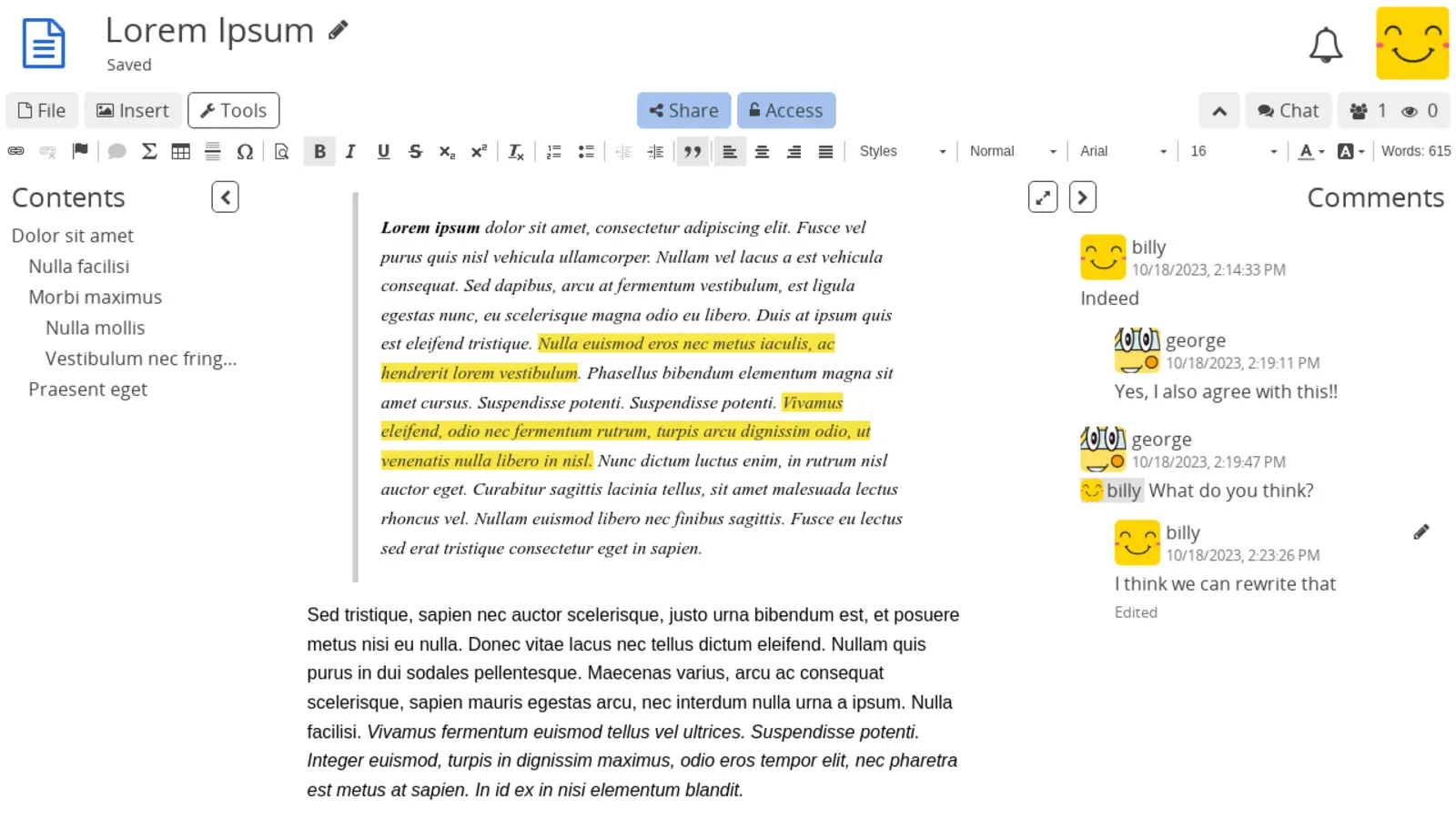
Notes sidebar showing a nested tree (My notebooks → Engineering → Backend → Day 1 onboarding). Active page highlighted; main panel shows the page content with rich-text formatting and a couple of attached images.
№ 01 · Featured
Pages and sub-pages — like notebooks
Folders inside folders, pages inside pages — the OneNote mental model. Notebook → section → page; drag-to-reparent, breadcrumb navigation.
✓ Included in every tier
CryptPad 2025.9 · XWiki SAS · AGPLv3 via docs.cryptpad.org
№ 02 · Featured
Rich-text editing
Headings, lists, tables, code blocks, inline images, quote blocks — the writing experience your team already has in Word or OneNote.
✓ Included in every tier
Visual to be produced
Notes editor with a closed-padlock badge in the top-right corner labelled 'end-to-end encrypted · keys in browser only'. Sidebar shows two participants editing live with cursor markers.
№ 03 · Featured
End-to-end encrypted
Personal notes are encrypted in the browser before they reach the server — even the operator can't read them. Team notes can opt back in to server-side preview if you want shared search.
✓ Included in every tier
Visual to be produced
Single notes page with two colour-coded cursors visible (one green, one orange), live presence avatars in the top-right corner, recent edits highlighted in pale-coloured backgrounds.
№ 04 · Featured
Real-time co-editing
Two people on the same page see each other's cursors. Useful for meeting notes that the whole team writes together.
✓ Included in every tier
Also included
The operational layer.
Image and file attachments
Drop screenshots, PDFs and Office documents into a page; images render inline.
Browser-based — works on every device
Open notes from any laptop, tablet or phone browser. Same login as the rest of the suite.
Guest access via shareable link
Share a single page with someone outside your team — the link grants read or edit access without an account.
Per-page version history
Restore an earlier version of any page; full history kept inside the encryption boundary.
Folders, tags and granular sharing
Organise notebooks the way your team thinks; share a single page or a whole branch.
One thing to know
Server-side search and admin content audits are unavailable on end-to-end encrypted pages by design — encryption is the point. For pages where shared search matters, the option to disable encryption is per-notebook.
Available in
Every tier — in the browser.
Notes ships in Core, Mesh and Fleet — same software, same features. The difference between tiers is operational: Mesh and Fleet add a desktop launcher and (for applicable apps) a sync client, and Fleet adds the managed laptops we ship with everything pre-configured.